
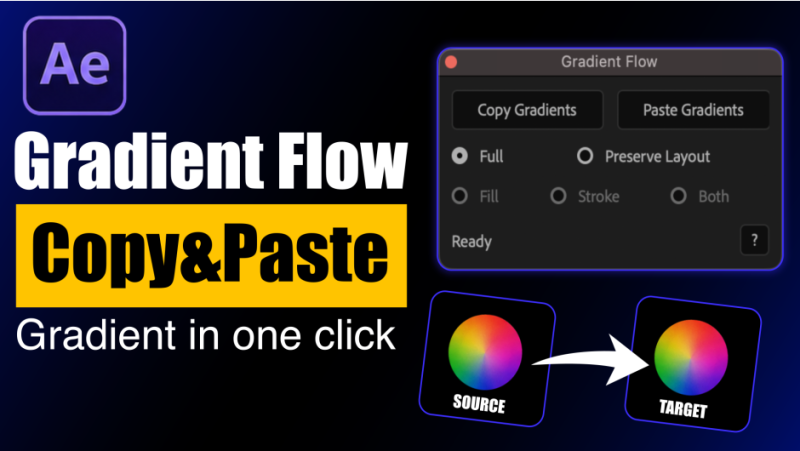

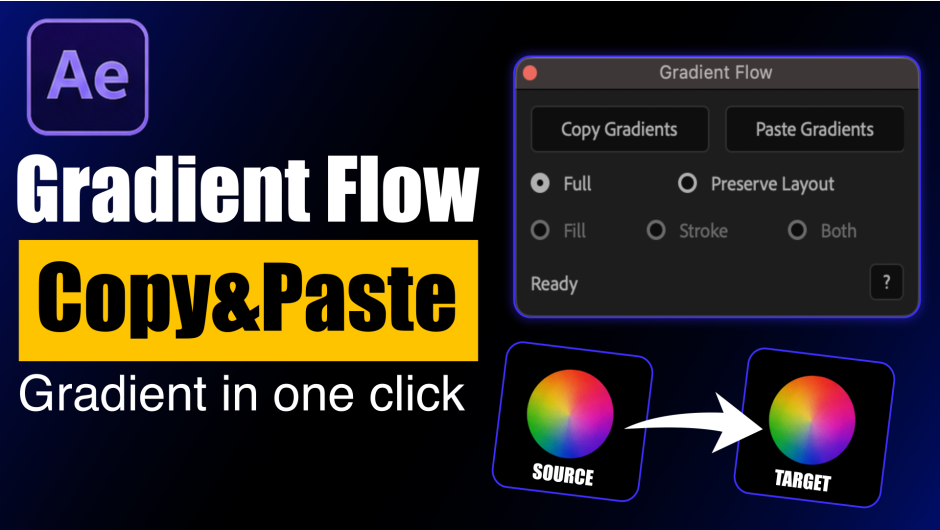
官方定位:“Gradient Flow lets you instantly copy and paste gradients between shape and solid layers in After Effects. With smart paste modes, multi-layer support, and a clean interface, it speeds up workflow and keeps your designs visually consistent.”
(Gradient Flow 让你在 After Effects 的形状图层与纯色图层之间即时复制粘贴渐变。智能粘贴模式、多图层支持、干净界面,加快工作流并保持设计视觉一致。)
官方标题句是 “Copy & Paste Gradients Instantly in After Effects”(在 After Effects 里即时复制粘贴渐变)。作者 Muhammad Adnan,官方定价 $12.99,有免费试用。
一、它解决什么问题(官方原文)
“Stop wasting time recreating gradients manually. Gradient Flow is a powerful After Effects extension that lets you copy and paste gradients across layers instantly whether you’re working with shape layers or solid layers. It transforms a repetitive task into a fast, one-click workflow.”
(别再浪费时间手工重建渐变。Gradient Flow 是一个强大的 After Effects 扩展,让你在图层间即时复制粘贴渐变——不管是形状图层还是纯色图层。它把一件重复劳动变成一次点击。)
“Creating and matching gradients manually in After Effects can be slow and frustrating — especially in larger projects. Gradient Flow eliminates repetitive work by allowing you to transfer gradients between layers in seconds.”
(在 After Effects 里手工创建和匹配渐变又慢又烦——项目一大更明显。Gradient Flow 让你在几秒内把渐变从一个图层传到另一个图层,消掉这份重复劳动。)
官方点名的适用人群:motion designers、animators、UI artists——需要保持项目视觉一致又要省时间的。
二、官方功能清单(原文逐条)
- 即时复制粘贴渐变
- 支持形状图层与纯色图层
- 一次粘贴到多个选中图层
- 支持 Fill(填充)/ Stroke(描边)/ Both(两者)
- Preserve Layout 模式用于保留渐变结构
- 智能且响应快的工作流
- 干净、极简、直观的界面
- 为快速动效工作流设计
三、怎么用(官方六步)
- 选一个带渐变的图层
- 点
Copy Gradient - 选一个或多个目标图层
- 选模式:
Full Mode或Preserve Layout Mode - 选类型:
Fill/Stroke/Both - 点
Paste Gradient
官方一句话:“Done instantly.”(瞬间完成。)
四、两种模式的区别(这是这个脚本最核心的设计)
Full 模式——连布局一起搬:
“Copies and applies the entire stroke gradient exactly as the source layer, including colors, positions, angle, scale, and overall gradient appearance.”
(把源图层的整条描边渐变原样复制应用过去,包括颜色、位置、角度、缩放与整体渐变外观。)
Preserve Layout 模式——只搬颜色:
“Applies the stroke gradient colors while preserving the target layer’s existing gradient layout and structure. Ideal for keeping unique designs consistent without changing their original composition.”
(只把源图层的描边渐变色应用到目标上,同时保留目标图层原有的渐变布局与结构。适合在不改变原构图的前提下让各自独特的设计保持一致。)
选 Both(Fill + Stroke 同时)时两者也不同:
- Full:“Copies and pastes both Fill and Stroke gradients completely from the source layer, including all gradient properties and layout settings, for an exact visual match.”(把填充与描边渐变都从源图层完整复制粘贴过来,含全部渐变属性与布局设置,做到完全一致的视觉效果。)
- Preserve Layout:“Applies the Fill and Stroke gradient colors from the source while preserving the target layer’s existing gradient layout, structure, and positioning.”(只把源图层的填充与描边渐变色应用过去,同时保留目标图层原有的渐变布局、结构与定位。)
一句话总结:Full = 连布局一起搬(要一模一样);Preserve Layout = 只搬颜色(各有各的布局也能统一配色)。
五、1.1 版本更新了什么(官方原文六条)
- 渐变复制粘贴在 Fill 与 Stroke 之间彻底打通——从描边复制的渐变可以粘到填充上,反过来也行
Copy Gradient与Paste Gradient现在共用一个 Fill / Stroke / Both 选择器,「从源读什么」和「往目标写什么」可以分别独立设置- Fill / Stroke / Both 选项现在直接可用,默认选中 Both(以前要先有对应渐变才可选)
- 目标图层原本没有渐变时现在会自动创建,不再要求目标预先存在渐变填充/描边
- 一次复制的渐变可以同时粘进填充与描边
- 状态栏改为报告粘贴成功/失败的图层数量,而不是单一的成功/失败消息
也就是说 1.1 把「必须先有渐变才能粘」这个限制去掉了,而且能一次同时写 Fill 和 Stroke——这两个是日常用起来差别最大的改动。
六、安装(官方 README 两个方法)
方法一(官方推荐):通过 aescripts Manager App 安装,装好后从 AE 的 Window 菜单启动。
方法二(手动):
- 解压
- 把脚本复制到 Scripts 目录
- Windows:
C:Program FilesAdobeAdobe After EffectsSupport FilesScriptsScriptUI Panels - Mac:
Applications/Adobe After Effects/Scripts/ScriptUI Panels - 重启 After Effects
- 从 Window(Windows)菜单 → Gradient Flow 打开,或 File → Scripts → Gradient Flow
注意:本包内文件名是 Gradient Flow.jsxbin(编译后的 ScriptUI 面板),不是 README 里写的 .jsx 明文源码。放的位置完全一样(ScriptUI Panels 目录),放完重启 AE 即可——这两个扩展名 AE 都认。另外别忘在 AE 首选项里勾选「允许脚本写入文件和访问网络」(Preferences ▸ General ▸ Allow Scripts to Write Files and Access Network),否则带授权的脚本可能跑不起来。
版本核对:本包为 1.1,三处一致——压缩包名 Gradient_Flow_v1.1.rar、包内目录 Gradient_Flow_v1.1、官方 VERSION HISTORY 最新就是 1.1 — Aug 18, 2026。
包内 Readme.pdf 标题还写 v1.0。那份 2 页 PDF 的标题是 “Gradient Flow v1.0″,正文也没提 1.1 新增的 Fill/Stroke 互通。这是 PDF 没跟着脚本更新,实际脚本是 1.1(包名、目录名、官方版本历史三处都指向 1.1)。本文按 1.1 记录。
兼容性:官方列出 After Effects 2026 / 2025 / 2024 / 2023 / 2022 / 2021 / 2020 / CC 2019——跨八个大版本,从 CC 2019 到 2026。
价格与授权:官方 Single User License $12.99,另有 Floating Server License,官方提供 FREE TRIAL 免费试用。
本夸克目录内容:Gradient_Flow_v1.1/(Gradient Flow.jsxbin 1935716 字节、Readme.pdf 171422 字节、Script installation method.txt 522 字节)、cover.png(940×530)、README-中文.txt。共 5 个文件 / 2257999 字节,与本地逐字节一致。
文案来源说明:官方定位语、标题句、问题描述、八条功能清单、六步用法、Full / Preserve Layout / Both 的原文定义、1.1 六条更新日志、兼容列表、价格 $12.99、安装步骤,全部来自 aescripts 官方产品页与包内 Readme.pdf 原文;版本号与文件大小来自包内实证。以上均非推测。
原产品页:https://aescripts.com/gradient-flow/
封面图片来自作者官方产品页。本文为中文整理,功能与兼容性信息以作者官方页面与包内说明为准。资源仅供学习交流,商业使用请购买正版授权。











暂无评论内容