

官方第一段:
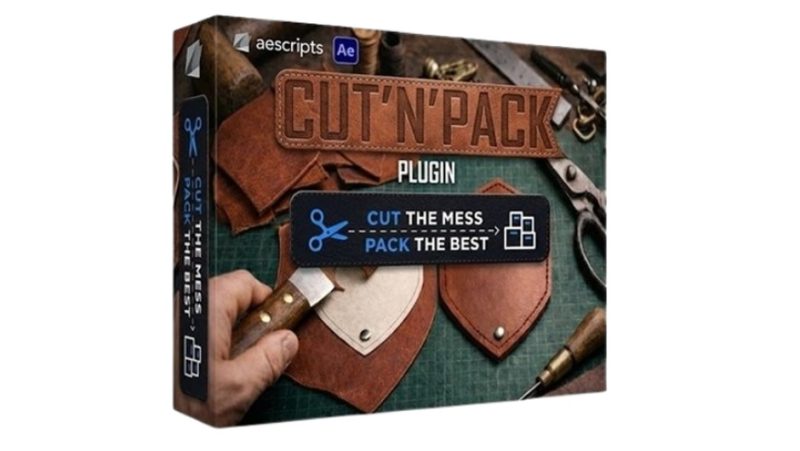
This is a real multitool for fast and convenient slicing, splitting and duplicating
of any type of layers. This script is designed to automate one of the most
time-consuming tasks in After Effects — cutting layers by masks and organizing the
result into clean project with correct naming. It converts complex masked setups into
structured, optimized comps with full control via nulls and expressions.
直译:
这是一个真正的多用途工具,用于对任何类型图层做快速方便的切片、拆分与复制。
这个脚本是为了自动化 After Effects 里最耗时的任务之一——按遮罩切层,
并把结果整理成命名正确的干净工程。它把复杂的遮罩组合转换成结构化的、
优化的 comp,并通过 null 与表达式获得完整控制。
★ 注意它针对的不是”做效果”,而是“做准备工作”。
做 motion graphics / 片头 / UI 动效的人都知道:真正花时间的不是调动画,
而是把设计稿里的一堆图层切成能独立做动画的块。
★ 传统流程长这样:
设计师给一个 AI 文件 → 你在 AE 里手动拆 → 一层层切开 → 一层层预合成 →
一个个改名字 → 一个个校位置 → 花两小时,动画还没开始做
二、八个官方 Key Features,逐个说清
官方列的 Key Features(原文逐条 + 解释):
① Cut solids, shape layers, vectors, footages and text layers by masks
按遮罩切纯色层、形状层、矢量、素材、文字层。
★ 五种图层类型全支持——这是它叫”multitool”的原因。很多同类工具只能切纯色层。
② Pre-compose using Masks, Bounding Box Layers or bought
按遮罩、包围盒图层、或手动购买(这里 “bought” 疑为 “bounds” 的拼写错误)来预合成。
★ 这三种预合成基准对应三种实际需求:
· 按遮罩 → 预合成紧贴遮罩形状
· 按包围盒 → 预合成是矩形,贴内容外框
· 按边界 → 覆盖全部内容
③ Generate masks on selected layer
在选中图层上生成遮罩。
★ 反向操作:不是”用遮罩切层”,而是”给层加遮罩”。做遮罩动画的起点。
④ Fracture Text to Shape symbols
把文字炸成形状层的单个字符。
★ 这是 kinetic typography(动态字体)的第一步。AE 原生要把文字转成形状再拆字符很麻烦。
⑤ Explode Vector Layers (.Ai or .EPS)
爆炸 Illustrator 矢量层(.Ai / .EPS)。
★ 把 AI 文件里的每个元素拆成独立可动图层——这是设计稿转动画的核心一步。
⑥ Fast explode Solids and Footages by mask
按遮罩快速爆炸纯色层与素材。
★ 第 ① 条的具体化:更适合批量处理。
⑦ Optimal precomp for texts, solids and shapes
为文字、纯色、形状做最优预合成(紧贴内容尺寸)。
★ 官方另有一段专门讲这个的价值:
Smart Pre-composition is useful when you need to pre-compose any type of layer
using its exact visual bounds. The plugin creates optimally sized pre-compositions
that match the content dimensions, reducing unnecessary empty space and helping to
save RAM during playback and rendering.
—— 按精确视觉边界预合成。插件创建与内容尺寸匹配的最优大小预合成,
减少不必要的空白,帮助在播放与渲染时节省内存。
★ “节省 RAM”是实打实的好处:一个 1920×1080 的预合成只装一个 200×80 的 logo,
那个预合成每帧都要分配 1920×1080 的缓冲。紧贴尺寸的预合成能省下 90%+ 的内存。
⑧ Save parenting links for pre-comps after precomp / Save positions for any layers after precomp
预合成后保留父子链接、保留任何图层的位置。
★ 这两条是最容易被忽略、但最影响实际体验的:
很多脚本预合成完之后图层位置全跑偏、父子关系断了,你还得手动一个个接回来。
它明确承诺保留——说明作者自己也被这个问题坑过。
三、1.4.0 新增的四件事
官方 VERSION HISTORY 原文:
1.4.0 – Jun 24, 2026
– New Mosaic Fragmentation option
– Batch packing selection (multiple options)
– Shape segmenter
– Automatic folder creation in the Project Manager
对应到实际能力:
① Mosaic Fragmentation(马赛克碎片化)
官方单独有一段介绍:
Mosaic Generator is a procedural tool for After Effects that transforms any layer
into a dynamic grid of adaptive tiles. It automatically analyzes the selected layer
and breaks it into a customizable mosaic structure, supporting text, shape layers,
and solids. The system intelligently handles bounds, scaling, and alignment to
preserve visual consistency across different source types. The tool also features
expression-driven randomness for opacity, scale, color blending, and spatial offsets,
enabling highly flexible procedural variation without manual keyframing.
★ 关键在最后一句:randomness 是表达式驱动的(不透明度、缩放、颜色混合、空间偏移),
所以你能用一个滑块控制”随机程度”,而不用手 K 一千个关键帧。
做马赛克转场、像素化揭示、抽象视觉很实用。
② Batch packing selection(批量打包)
一次选中多个图层批量预合成,而不是一个个来。
★ 纯效率提升,但做复杂场景时差别巨大。
③ Shape segmenter(形状分段器)
把形状层按段拆开。
④ Automatic folder creation in the Project Manager(项目面板自动建文件夹)
★ 这条很体贴:切完之后项目面板会有一堆新 comp,
它自动帮你建好文件夹归类。做过大项目的人知道这有多重要——
不然你的项目面板会变成 200 个无序 comp 的地狱。
四、官方另外几段补充说明(值得一读)
官方在功能列表之外还有几段描述,挑最有价值的两段:
关于「在形状层上直接做遮罩」(这是原生做不到的)
You can now easily create masks directly on shape layers — something that wasn’t
possible with standard methods. This allows you to apply soft masks with feathering
directly on a vector layer, without relying on pre-comps or additional helper layers.
Just select the desired shape element, and a mask preset will automatically generate
a mask based on that element’s bounds. No manual fitting, no extra layers,
no technical workarounds.
★ 直译:现在可以直接在形状层上创建遮罩——这在标准做法里是做不到的。
这让你能在矢量图层上直接施加带羽化的柔边遮罩,不用预合成、不用辅助层。
选一个形状元素,遮罩预设会按它的边界自动生成遮罩。不用手动贴合、不用额外图层、不用变通手段。
★ “something that wasn’t possible with standard methods” 这句是它的真本事:
AE 的形状层和遮罩层是两套系统,原生不允许给形状层加遮罩(只能给图层加)。
它绕过了这个限制。
关于「分批切割」
Break Layer by Mask — splits a layer into separate parts based on its masks.
Each mask becomes an independent layer while preserving transformations such as
position, rotation, and scale. Cut your layers the way you want — faster than ever.
★ 这就是它的基础功能,但官方补了一句适用范围:
motion graphics、typography animation、shape-based transitions、complex reveals、
UI animations,以及任何”一个图层需要被拆成可控碎片”的流程。
五、包内实测 + 安装
包内实测 34 个文件 / 33,302,063 B,CEP 扩展目录 `com.my.CutnPack`:
Demo.mp4 30,021,255 B ← 官方演示视频(占整个包 90%)
js/cp.js 3,005,484 B ← 面板主逻辑
jsx/core.jsxbin 189,208 B ← 宿主侧脚本(核心功能都在这)
assets/icons/Cut_it.png 15,734 B
assets/icons/Pack_it.png 15,717 B
dialog/dialog.css 9,079 B
META-INF/signatures.xml 8,204 B
assets/Header.png 7,918 B + 6,526 B
Add Keys.reg 2,724 B
css/style.css 2,174 B
CSXS/manifest.xml 1,620 B
(以及 icons 等)
★ 两个 `Cut_it.png` / `Pack_it.png` 图标对应它的两个主功能按钮:Cut(切)与 Pack(打包)。
名字就是这么来的。
★ manifest 实测:`com.my.CutnPack` / 1.4.0 / Host `AEFT [14.0,99.9]`(AE CC 2017 起)。
★ 包内 90% 是演示视频(30 MB)。真实插件本体(cp.js + core.jsxbin)只有约 3.2 MB。
所以这个 28.7 MB 的 rar 里,功能代码是很小一部分,不用被体积吓到。
安装
1. 解压 rar
2. 把 `com.my.CutnPack` 目录放到 CEP 扩展目录:
Windows `C:Program Files (x86)Common FilesAdobeCEPextensions`
macOS `~/Library/Application Support/Adobe/CEP/extensions/`
3. `Add Keys.reg`(Windows)双击合并——用于允许未签名扩展
4. 重开 AE,在 `窗口 > 扩展 > Cut’n’Pack` 打开
★ `Demo.mp4` 就是官方演示视频,装了之后可以自己看一遍,比看文字说明快。
六、定价与适用人群
价格:官方 $39.00,三种授权时长可选(Perpetual 永久 / Recurring Annually 年付 / Recurring Monthly 月付),有 FREE TRIAL。
该用:
· 做片头、UI 动效、kinetic typography 的人(每天都在切层)
· 接设计稿(AI/PSD/Figma 导出)要做成动画的人——`Explode Vector Layers` 是核心
· 做马赛克 / 像素化 / 碎片化转场的人(1.4.0 的 Mosaic Fragmentation)
· 项目面板经常乱成一锅粥的人(自动建文件夹)
可以不用:
· 只做纯合成(VFX、抠像、跟踪)——你不切层
· 只用 AE 做视频剪辑/加字幕——用不到这些
★ 一句话总结:它是”做动画之前那段准备工作”的加速器,不是效果插件。
原产品页:https://aescripts.com/cut-n-pack/
封面图片来自作者官方产品页。本文为中文整理,功能与兼容性信息以作者官方页面与包内说明为准。资源仅供学习交流,商业使用请购买正版授权。









暂无评论内容