

本条目已更新至 1.1.2 版(本站原为 1.0.3)。旧版目录仍保留在网盘,见文末说明。
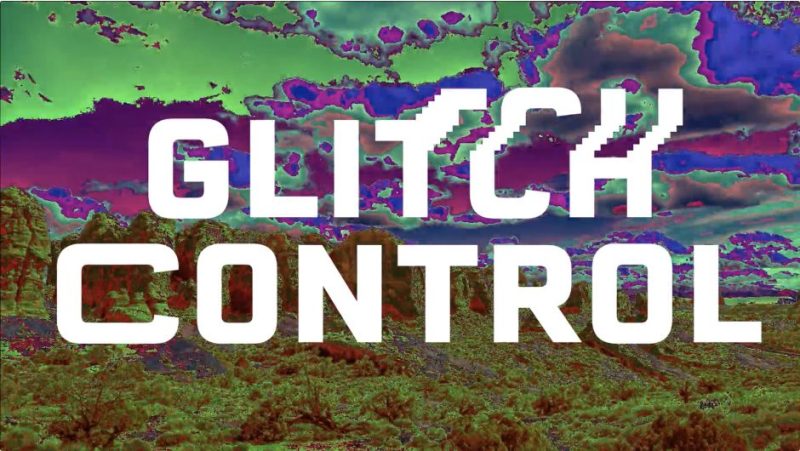
官方一句话:“Create classic glitch effects with incredible ease. Modular effect plugin for Adobe After Effects and Premiere Pro.”
(极其轻松地做出经典故障效果。给 Adobe After Effects 与 Premiere Pro 的模块化效果插件。)
官方描述:
A One-Stop-Shop for Classic Glitch Effects
Drop your footage in the timeline, apply Glitch Control, and start making glitch art. It’s that easy. No more digging around through menus trying to find which combination of techniques will get you the look you want.
(经典故障效果的一站式方案。把素材丢进时间线,应用 Glitch Control,就可以开始做故障艺术了。就这么简单。不用再在菜单里翻来翻去找哪种技术组合能出你想要的样子。)
一、四个效果模块(官方逐项)
RGB Controls(RGB 控制)——Achieve the classic RGB split effect with the click of a button. The perfect tool for any glitch art toolbox.(一键做出经典 RGB 分离效果。任何故障艺术工具箱里的完美工具。)
Displacement(位移)——Easily animate choppy glitch effects with the displacement module. Use it once for a simple repetition or add multiple instances to get really crazy.(用位移模块轻松做断断续续的故障动画。用一次是简单重复,加多个实例就能做得很疯。)
Stretch(拉伸)——Stretch your pixels across the screen in classic glitchy fashion. Use it alone to transition between clips or blend it with other modules for added flair.(用经典的故障风格把像素拉满屏幕。单独用可以在片段间做转场,或与其他模块混合增加味道。)
Color Cycle(颜色循环)——Quickly create psychedelic sequences from any footage. Perfect for adding that extra kick to your project.(从任何素材快速做出迷幻色彩序列。给项目加一把劲的完美选择。)
二、为什么快(官方 Modular Design For Ultimate Control)
Glitch Control features 4 independent effect modules to give you greater control over your image processing. Just select which effects you want to use, turn them on, and start glitching. By disabling effects you don’t want to use, you’ll only use as much processing power as you need to. Saving you precious time with your renders.
(Glitch Control 有 4 个独立效果模块,让你对图像处理有更强的控制。选你想用的效果,打开,开始做故障。把不用的效果关掉,你就只花需要的那点算力,省下宝贵的渲染时间。)
三、1.1.2 版更新(官方版本历史,2026-10-03)
- 新增 Edge Mode 到 RGB Controls(Clip / Wrap / Mirror),控制被偏移的通道在画面边缘如何表现
- 每个模块都加了 Mix 滑块(RGB Controls、Displacement、Stretch、Color Cycle)
- 模块关闭时,其控件会变灰
- After Effects 与 Premiere Pro 现在用同一套渲染代码
- Color Cycle 更快
- 修复画面边缘像素被跳过的问题
- 修复未授权水印可能导致的崩溃
- 基于 After Effects SDK 25.6 重建,已签名并公证
- 现有工程打开时保留原有设置
- 插件文件改名
GlitchControl_AEP。安装前必须删掉旧的GlitchControl.plugin(Mac)或GlitchControl.aex(Windows),否则 AE 会报「有两份拷贝」
⚠️ 最后两条是本次升级最需要注意的:文件名从 GlitchControl 变成 GlitchControl_AEP,必须先删旧文件再装新的。
四、包内容与安装
包内结构:
Glitch Control V1.1.2 Win+Mac/
├── Win/
│   ├── Chinese version/GlitchControl_AEP.aex   (中文版)
│   └── English version/GlitchControl_AEP.aex   (英文版)
├── Mac/Glitch Control 1.1.2.dmg                (macOS 安装镜像)
└── Tutorial.mp4 (官方教程视频)安装(Windows):先删掉 AE / PR 插件目录里的旧 GlitchControl.aex,再把 GlitchControl_AEP.aex 复制到 AE 的 Support Files\Plug-ins 或 PR 的 Plug-ins 目录。中文版与英文版二选一(效果相同,界面语言不同)。
安装(macOS):挂载 Glitch Control 1.1.2.dmg,运行安装器;同样先删掉旧的 GlitchControl.plugin。
版本核对:本包版本 1.1.2(rar 内目录 Glitch Control V1.1.2 Win+Mac、dmg 文件名 Glitch Control 1.1.2.dmg、psdly 标题 V1.1.2,三方一致)。本站原为 1.0.3,本次按「同插件新版」规则升级覆盖。
价格与授权:官方价格 $39.00(Single User License;另有 Floating Server License 与 Render-Only License);官方提供 Free Trial。官方来源 aescripts.com/glitch-control/。
官方版本历史:1.1.2(2026-10-03)、1.0.3(2022-04-14)。
本夸克目录内容:Glitch Control V1.1.2 Win+Mac/(Win 中/英文双版 aex、Mac dmg、Tutorial.mp4)、cover.jpg、README.md。共 6 个文件 / 89949724 字节,与本地逐字节一致。
版本并存说明:旧版 1.0.3 的网盘目录原样保留,旧分享链接仍可用;本条目正文的分享链接指向新的 Glitch Control 1.1.2 目录。
参数来源说明:官方一句话、长描述、四个模块说明、Modular Design 段落、1.1.2 版更新 10 条、价格 $39.00、Free Trial 均来自 aescripts 官方页;包内文件清单、中文/英文双版本目录、安装位置说明来自 rar 内实际文件结构。非推测。
原产品页:https://aescripts.com/glitch-control/
封面图片来自作者官方产品页。本文为中文整理,功能与兼容性信息以作者官方页面与包内说明为准。资源仅供学习交流,商业使用请购买正版授权。










暂无评论内容