

本条目已更新至 1.7 版(原 1.4 版已保留在网盘同名目录的历史分享中,见文末说明)。
官方一句话:“Create customizable glass from any shape.”(从任何形状创建可定制的玻璃。)
官方描述:
Get easy, live control over blur, refraction, distortion, lighting, noise, color, and more. Supports precomps and 3D layers.
(对模糊、折射、畸变、光照、噪点、颜色等获得轻松、实时的控制。支持预合成与 3D 图层。)
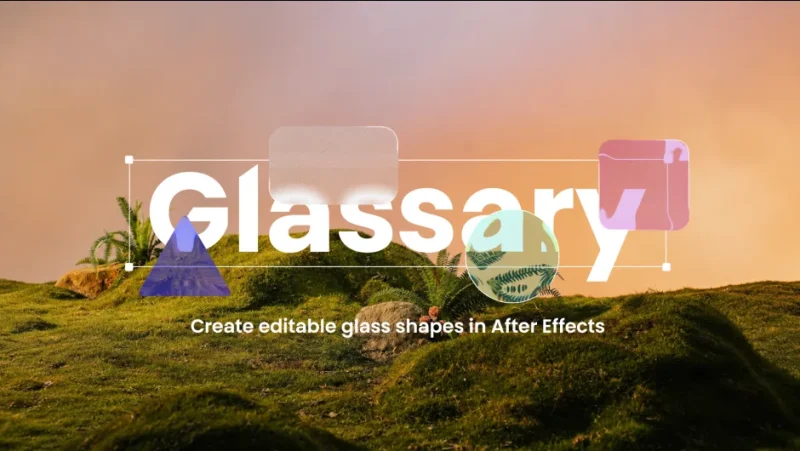
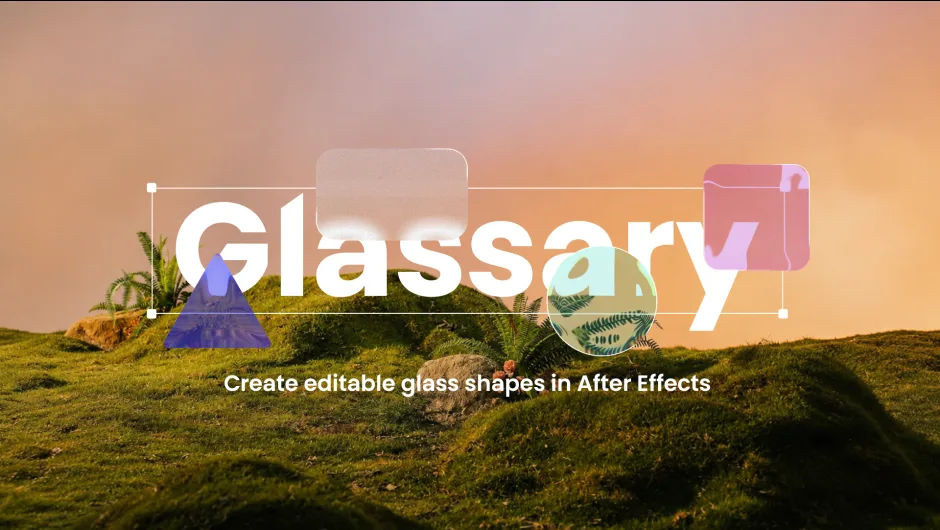
官方封面标语:Create editable glass shapes in After Effects(在 After Effects 里创建可编辑的玻璃形状)。
一、八个能力(官方逐项)
Refraction(折射)——Controls how light bends through the glass, shaping the distortion of everything behind it. Adjust it to create anything from subtle optical shifts to strong, stylized refraction.(控制光如何穿过玻璃弯折,塑造其背后一切的畸变。从微妙的光学偏移到强烈的风格化折射,都能调出来。)
Frost(磨砂)——Adds a soft, frosted look to the glass by diffusing and blurring what appears behind it. Use it to create subtle haze or a stronger opaque glass effect.(通过扩散与模糊玻璃背后的内容,给玻璃加上柔和的磨砂感。可以用来做微妙的雾气,或更强的半透明玻璃效果。)
Color(颜色)——Adds color tinting to the glass while keeping the refraction and transparency visible. Use it to create subtle colored glass or stronger stylized looks.(给玻璃加颜色染色,同时保持折射与透明度可见。做微妙的彩色玻璃或更强的风格化外观。)
Noise(噪点)——Adds fine texture inside the glass for a more organic look. Use lower values for subtle grain or higher values for a stronger stylized effect.(在玻璃内部加细腻纹理,看起来更有机。低值做微妙颗粒,高值做更强的风格化效果。)
3D——Apply Glassary directly to 3D layers while keeping their depth and perspective intact. Create glass effects that naturally integrate into your 3D After Effects scenes.(把 Glassary 直接应用到 3D 图层,同时保持它们的深度与透视不变。做出能自然融入你 AE 3D 场景的玻璃效果。)
Add Shadow(加阴影)——Add a shadow to give the glass more depth and separation from the background, helping it feel more dimensional and grounded.(加阴影让玻璃更有深度、与背景分离,感觉更有体积感、更落地。)
Built-in Gradient(内置渐变)——Bring color to your glass with a built-in gradient. Blend two colors, choose Linear or Radial, and fine-tune opacity, position, and rotation to match your design.(用内置渐变给玻璃上色。混合两种颜色,选线性或径向,再细调不透明度、位置与旋转,匹配你的设计。)
另两项:Works with pre-compositions(支持预合成)、Customizable glass lighting(可定制的玻璃光照)。
二、官方教学视频目录(完整章节)
| 时间 | 章节 |
|---|---|
| 00:00 | Introduction |
| 00:14 | How It Works & Preset Shapes |
| 00:47 | Shape Customization |
| 01:02 | Effect Controls Overview |
| 01:07 | Refraction |
| 01:10 | Depth |
| 01:15 | Dispersion |
| 01:19 | Frost |
| 01:26 | Splay & Noise |
| 01:43 | Light Controls |
| 02:07 | Glass Color |
| 02:25 | Working in 3D |
| 02:42 | Final Result |
从章节名还能确认官方没在正文里单列的三个参数:Depth(深度)、Dispersion(色散)、Splay(张开/铺展)、Light Controls(光照控制)。
三、1.7 版新增(官方版本历史)
Create smooth color transitions with a built-in gradient.
and define your edges with the newly added stroke support.
All directly within the tool.
(用内置渐变做出平滑的颜色过渡。并用新加的描边支持定义你的边缘。全部都在工具内部完成。)
即 1.7 版新增:内置渐变 + 描边(stroke)支持。
四、包内容与安装
Windows/Glassary/Glassary.aex—— Windows 版 AE 插件Mac/Glassary/Glassary.plugin/—— macOS 版(含 Info.plist、MacOS/Glassary 二进制、Resources/Glassary.rsrc、CodeSignature)Glassary-ScriptUI/Glassary.jsxbin—— 配套 ScriptUI 面板脚本Glassary User Guide.pdf—— 官方用户手册
安装:Glassary.aex 放进 AE 的 Plug-ins 目录(Windows 通常是 C:Program FilesAdobeCommonPlug-ins7.0MediaCore);Glassary.jsxbin 放进 AE 的 Scripts/ScriptUI Panels 目录。
版本核对:本包版本 1.7(macOS Info.plist 里 CFBundleShortVersionString = 1.7.0、rar 内目录 Glassary v1.7、psdly 标题 V1.7,三方一致)。本站原为 1.4 版,本次按「同插件新版」规则升级覆盖。
价格与授权:官方价格 $30.00(Single User License;另有 Floating Server License 与 Render-Only License);官方提供 FREE TRIAL。官方来源 aescripts.com/glassary/。
官方版本历史:1.7(2026-10-04)。
本夸克目录内容:Glassary v1.7/(Windows/Glassary/Glassary.aex、Mac/Glassary/Glassary.plugin/、Glassary-ScriptUI/Glassary.jsxbin、Glassary User Guide.pdf)、cover.png、README.md。共 10 个文件 / 2272955 字节,与本地逐字节一致。
版本并存说明:旧版 1.4 的夸克分享(pan.quark.cn/s/5ebad2958c99,目录名 Glassary 1.4)仍保留可用;本条目正文的分享链接指向新的 Glassary 1.7 目录。需要旧版的用户仍可通过旧链接获取。
参数来源说明:官方一句话、描述、八个能力(Refraction / Frost / Color / Noise / 3D / Add Shadow / Built-in Gradient)与预合成/光照两项、教学视频 13 个章节名、1.7 版新增内容、价格 $30.00、FREE TRIAL,均来自 aescripts 官方页;版本号(1.7.0)、包内文件清单与安装位置来自 rar 内实际文件与 macOS Info.plist。非推测。
原产品页:https://aescripts.com/glassary/
封面图片来自作者官方产品页。本文为中文整理,功能与兼容性信息以作者官方页面与包内说明为准。资源仅供学习交流,商业使用请购买正版授权。










暂无评论内容