
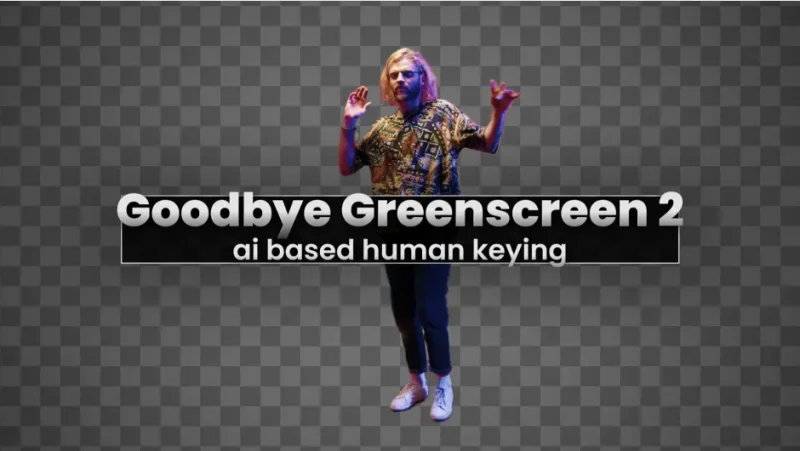

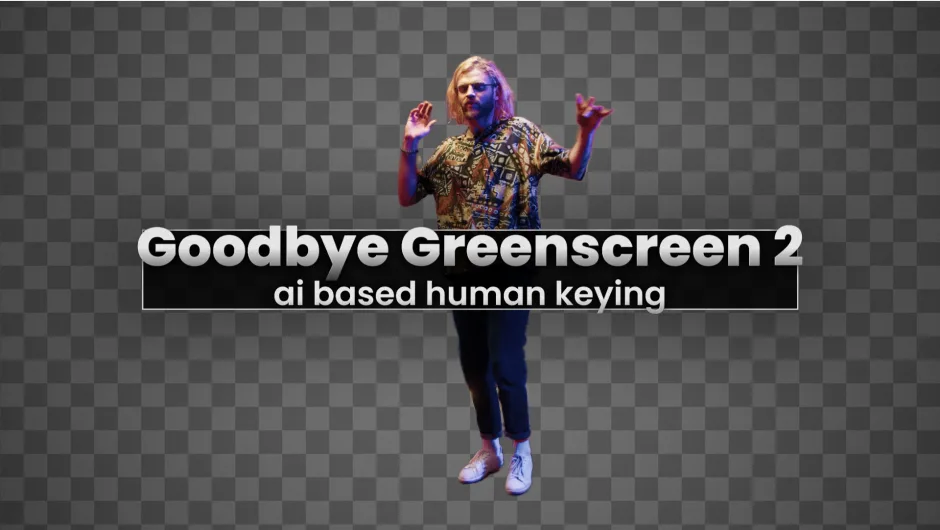
官方定位:“Artificial Intelligence-based plugin for automatic human matting. NEW: integration of BiRefNet (new state-of-the-art model for image segmentation.)”
(基于人工智能的自动人像抠像插件。新增:集成 BiRefNet——图像分割领域新的最先进模型。)
这是 blace.ai 出品的插件,用于 After Effects 与 Premiere Pro。它的目标是「不用手画遮罩、不用打关键帧,把人物抠出来」,官方定价 $79.99。
一、官方三大核心承诺(原文)
“Create mattes for human characters without any manual work”(无需任何手工操作就能为人像创建遮罩)
“Create different mattes between a static background and a moving foreground”(在静止背景与运动前景之间生成不同遮罩)
“Processing happens fully locally, running on our high-performance C++ blace.ai engine. Your data never leaves your machine.”(处理完全在本地进行,跑在我们高性能的 C++ blace.ai 引擎上。你的数据永远不会离开你的机器。)
官方还写明 “20,000+ customers trust our products, from freelance creators to enterprise teams.”(两万多名客户在用,从自由创作者到企业团队),以及 “Supports Apple Silicon, NVIDIA and AMD GPUs (Windows) for hardware acceleration.”(支持 Apple Silicon、NVIDIA 与 AMD 显卡(Windows)硬件加速。)
二、官方四大功能(原文)
1. Automasking 自动抠像
“Automatic matte creation for portrait and full-body shots with several optimizations to give you high-quality mattes. Works well with long hair and challenging backgrounds.”(为半身与全身镜头自动生成遮罩,带多项优化以保证遮罩质量。长发与复杂背景也能处理得不错。)
2. Stable Mattes 稳定遮罩
“We deploy 7 different AI models, so you can always choose the model that gives you the best results out of the box.”(我们部署了 7 个不同的 AI 模型,你总能挑到开箱即效果最好的那个。)
3. Clean Plate Matting 净板抠像
“Combine a video and a clean plate of the scene into a matte. This lets you setup a keyable studio scene without a greenscreen! Difference matte on steroids.”(把视频与同一场景的净板合成遮罩。这样你不需要绿幕就能搭出可抠像的棚拍场景!加强版的差值遮罩。)
4. Color Keying 颜色抠像
“AI based color keyer, in case you still want to use your greenscreen.”(基于 AI 的颜色抠像器,万一你还是想用绿幕。)
三、包内实际包含的 10 个模型(二进制实证)
从 GoodbyeGreenscreen.blaceplugin 二进制里读到的模型文件名:
sghm_v8_default_v1_ALL_export_version_v26— 人像分割主模型之一u2net_v6_generic_v1_ALL_export_version_v17— U2Net 通用版u2net_v6_human_v1_ALL_export_version_v17— U2Net 人像版modnet_v6_portrait_v1_ALL_export_version_v17— MODNet 半身人像版modnet_v6_webcam_v1_ALL_export_version_v17— MODNet 网络摄像头版birefnet_v2_default_v1_ALL_export_version_v17— BiRefNet v2(官方标题里点名的新模型)disnet_v8_default_v1_ALL_export_version_v26— DIS 高分辨率二分图像分割background_matting_v2_v3_resnet50_v1_ALL_export_version_v17— 背景抠像(ResNet50 骨干)background_matting_v2_v3_mobilenet_v1_ALL_export_version_v17— 背景抠像(MobileNet 轻量骨干)vitmatte_v4_default_v1_ALL_export_version_v17— ViTMatte 精细边缘
官方说「7 个不同的 AI 模型」是指面板里按组可选的 7 套,底层文件实际有 10 个(含同一模型的轻量版与骨干变体)。
四、控件清单(二进制实证)
Keying Mode— 抠像模式Keying Settings— 抠像设置分组Automask Mode— 自动抠像模式Background Layer/Background— 背景图层(净板)Matte Refinement— 遮罩精修分组Matte/Result— 遮罩 / 结果输出Warped Background— 变形后的背景Output Mode— 输出模式- 模型分组:
Generic/Human/Generic 2022/Human 2024/BiRefNet Samples— 采样数Pre Render/Smart Render/Smart Render on GPU— 预渲染 / 智能渲染 / 智能渲染走 GPUModel offloading— 模型卸载(显存不足时用)Color— 颜色
二进制里还能读到两条提示语:Model not found. Please install.(找不到模型,请安装)与 Ran out of RAM / VRAM. Use model offloading.(内存或显存耗尽,请使用模型卸载)——说明这套引擎是懒加载模型,按需从模型目录读权重。
五、系统要求(官方原文四行表 + 关键脚注)
| 平台 | 结果 |
|---|---|
| Windows + NVIDIA GPU ≥ 8GB | ✅ |
| Windows + 非 NVIDIA GPU ≥ 8GB | ✅ * |
| Apple Silicon + macOS Sequoia 或更新 + ≥ 16GB RAM | ✅ |
| 其他 macOS | ❌ |
脚注原文:“* Only Generic 2022 and Human 2024 supported.”(非 NVIDIA 显卡上只支持 Generic 2022 与 Human 2024 两个模型。)
这条脚注很重要:如果你的 Windows 机器没有 NVIDIA 显卡,能用的模型只剩两个,其余八个跑不了。
六、安装
本包同时含 Windows 与 macOS 安装文件:
Win/GoodbyeGreenscreen-v2.5.58.exe— Windows 安装程序Win/GoodbyeGreenscreen.blaceplugin— 插件本体Win/Uninstall Plugin.exe— 卸载程序Mac/GoodbyeGreenscreen— macOS 插件本体Mac/GoodbyeGreenscreen-v2.5.58-default.pkg— macOS 默认安装包Mac/GoodbyeGreenscreen-v2.5.58-fallback.pkg— macOS 备用安装包
推荐用官方 aescripts + aeplugins Manager 安装与授权;也可以直接跑对应平台的安装程序。装完重启 After Effects / Premiere Pro。
版本核对:本包为 2.5.58——压缩包名 Goodbye_Greenscreen_V2.5.58_Win_Mac.rar、包内目录名 Goodbye_Greenscreen_V2.5.58_Win_Mac / Goodbye Greenscreen V2.5.58 Win+Mac、Windows 安装程序 GoodbyeGreenscreen-v2.5.58.exe、macOS 两个 pkg 均为 v2.5.58,四处一致。
本包不是官方最新版。官方 VERSION HISTORY 最新为 2.5.70 — Oct 20, 2026 — Compatibility release,本包 2.5.58 不含 2.5.70 的兼容性修复。(官方页面只展开显示最新一条,更早的版本折叠在 Show All 里。)
psdly 标题与包内版本不符:psdly 页面标题写的是 Goodbye Greenscreen 2 V2.5.64 Win/Macv,但下载下来的包内实际是 2.5.58。按老规矩以包内实际版本为准记录。
兼容性:官方列出 After Effects 2026 / 2025 / 2024 / 2023,Premiere Pro 2024 / 2023 / 2022。注意 PR 侧最高只到 2024,比 AE 侧低一档。
价格与授权:官方 Single User License $79.99,另有 Floating Server License 与 Render-Only License,官方提供 FREE TRIAL 免费试用。
本夸克目录内容:Goodbye_Greenscreen_V2.5.58_Win_Mac/Goodbye Greenscreen V2.5.58 Win+Mac/(Win 3 个文件 + Mac 3 个文件)、cover.png、README-中文.txt。共 8 个文件 / 10478890 字节,与本地逐字节一致。
文案来源说明:官方定位语、三大核心承诺、四大功能(Automasking / Stable Mattes / Clean Plate Matting / Color Keying)、20000+ 客户、Apple Silicon / NVIDIA / AMD 硬件加速、系统要求四行表与脚注、版本历史 2.5.70、兼容列表、价格 $79.99,全部来自 aescripts 官方产品页原文;10 个模型文件名、控件名(Keying Mode / Automask Mode / Background Layer / Matte Refinement / Generic / Human / BiRefNet / Model offloading 等)、两条运行时提示语,来自 GoodbyeGreenscreen.blaceplugin 二进制字符串;版本号与文件大小来自包内实证。以上均非推测。
原产品页:https://aescripts.com/goodbye-greenscreen/
封面图片来自作者官方产品页。本文为中文整理,功能与兼容性信息以作者官方页面与包内说明为准。资源仅供学习交流,商业使用请购买正版授权。









暂无评论内容