
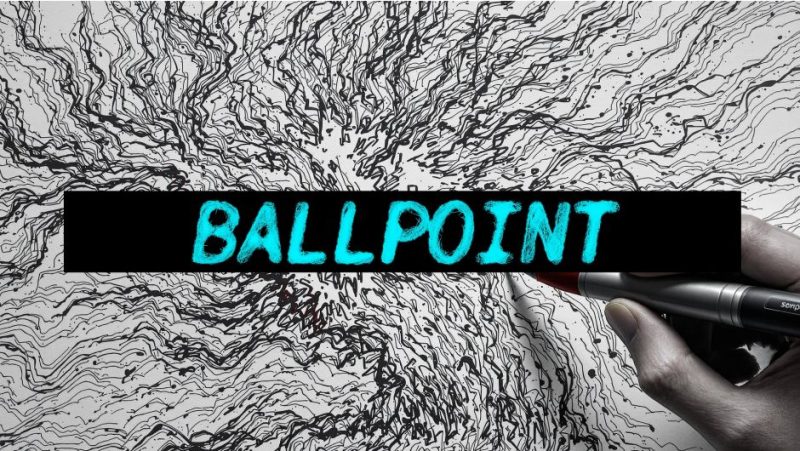

官方一句话:“Precise strokes of a ballpoint pen radically change the way you look at familiar things. This GPU plugin for AE and Premiere turns your videos into sketches on an old piece of paper.”(圆珠笔精准的笔触会彻底改变你看待熟悉事物的方式。这个 AE 与 Premiere 的 GPU 插件把你的视频变成旧纸上的素描。)
官方标题:BALLPOINT TEXTURE ENGINE。官方描述:
Ballpoint is a GPU-accelerated plugin for After Effects and Premiere that transforms your footage into dense, expressive linework — like it was hand-sketched on aged notebook paper. Inspired by the raw charm of ballpoint pen doodles and technical drawings, Ballpoint redraws your frames using reactive strokes that reveal motion, detail, and texture in a completely new light. Choose from distinct styles like Robocop, Curls, or Web, each with a unique feel ranging from frantic and mechanical to loose and organic.
(Ballpoint 是 AE 与 Premiere 的 GPU 加速插件,把素材变成密集有表现力的线条——像手绘在泛黄的笔记本纸上。灵感来自圆珠笔涂鸦与技术图纸的原始魅力,Ballpoint 用反应式笔触重绘你的帧,以全新的方式揭示运动、细节与纹理。可选 Robocop、Curls、Web 等不同风格,每种手感从狂躁机械到松散有机各不相同。)
一、官方三个卖点
Presets — real human ✓
made and supported by a real human. I’ve been building plugins for VFX artists since 2015. This is my full-time job: I write the code, ship updates every week, and answer every support ticket myself.
(由真实的人制作与支持。我从 2015 年起就为 VFX 艺术家做插件。这是我的全职工作:我写代码、每周发更新、每一封支持工单都我自己回。)
GPU ACCELERATED
Ballpoint is fully interactive. As you tweak parameters, the results update in real-time — letting you sketch out your look live without waiting for renders. From bold outlines to chaotic scribbles, every element is keyframable, and many settings are brush-sensitive, so you can modulate complexity, flow, and texture directly in the timeline. Whether you’re aiming for a punk zine, a forensic diagram, or a daydream in ink, Ballpoint gives you the pen — and lets you take full control.
(Ballpoint 完全交互。你调参数时结果实时更新——不用等渲染就能现场试出想要的样子。从粗轮廓到混乱的涂鸦,每个元素都可 K 关键帧,许多设置还支持笔刷敏感度,所以你可以直接在时间线上调制复杂度、流动与纹理。无论你想做朋克杂志、刑侦图示还是墨水白日梦,Ballpoint 把笔给你——全部控制权归你。)
GREAT FOR REVEAL ANIMATIONS — PRESETS INCLUDED!(非常适合揭示动画——内含预设!)
二、参数(从 .aex 二进制里读出的控件名)
- Crosshatching(交叉排线)
- Blending Mode(混合模式)
- Ink Color(墨水颜色)
- Stroke Width(笔画宽度)
- Stroke Length(笔画长度)
- Stroke Count(笔画数量)
- Stroke Rendering(笔画渲染)
- Stroke Angle(笔画角度)
- Detail Radius(细节半径)
- Random Seed(随机种子)
- Open Help in Browser(在浏览器打开帮助)
从 shader 源码注释还能确认:渲染用 wgpu(WebGPU 实现,.aex 里带完整 naga WGSL 前端),uniform 里有 stroke_count: u32、stroke_length: f32、stroke_angle: f32;算法是 “Edge-driven stroke synthesis with fluid motion and pen-style rendering.”(边缘驱动的笔画合成,带流体运动与钢笔风格渲染)——即按画面边缘走向生成笔触。shader 文件:src/shaders/uniforms.wgsl、Common.wgsl、Main.wgsl。
三、内置风格
官方提到三种命名风格:Robocop(狂躁、机械)、Curls(卷曲)、Web(网状),手感「从狂躁机械到松散有机」。
四、系统要求(官方表)
| 项目 | 支持情况 |
|---|---|
| After Effects | ✅ |
| Windows | ✅ |
| Mac Intel & Silicon,macOS 12.0+ | ✅ |
| 无 OpenCL/OpenGL 支持的电脑 | ❌ |
官方页只列了 After Effects,但官方描述与安装包都明确支持 Premiere Pro,且包内还带 DaVinci Resolve 的 OFX 版本——实际是三宿主。
五、安装(随包 Installation method.txt)
AE 版:把 Win/AE/BallPoint.aex 拷到 C:Program FilesAdobeCommonPlug-ins7.0MediaCore
Resolve 版:把 Win/Resolve/BallPoint.ofx.bundle 拷到 C:Program FilesCommon FilesOFXPlugins
Premiere Pro:Ballpoint 是标准效果插件,装进 PR 的插件目录即可(与 AE 的 MediaCore 同级路径)。
版本核对:本包版本 1.6.7(rar 内目录 Ballpoint v1.6.7 Win+Mac、psdly 标题 V1.6.7,一致)。已用 same_plugin.sh "Ballpoint" 查重,站点无同一插件(站点 2057 篇 Composite Brush 1.6.7 是另一款插件,版本号巧合相同)。
价格与授权:官方价格 $49.99(Single User License;另有 Floating Server License 与 Render-Only License);官方提供 FREE TRIAL。官方来源 aescripts.com/ballpoint/,作者 pixelsorter.studio。
官方附带:DOCUMENTATION(安装、预设与每个参数的说明)与 TUTORIAL。
本夸克目录内容:Ballpoint v1.6.7 Win+Mac/Win/AE/BallPoint.aex(10.99 MB)、.../Win/AE/Installation method.txt、.../Win/Resolve/BallPoint.ofx.bundle/Contents/Win64/BallPoint.ofx、.../Win/Resolve/Install.txt、cover.jpg、README.md。共 6 个文件 / 22073642 字节,与本地逐字节一致。
参数来源说明:官方描述、三个卖点原文、三种风格名(Robocop / Curls / Web)、价格 $49.99、FREE TRIAL、系统要求表、DOCUMENTATION 与 TUTORIAL 入口,均来自 aescripts 官方页;11 个控件名、wgpu/naga shader 栈、uniform 字段、算法说明(Edge-driven stroke synthesis)、安装路径,均来自 BallPoint.aex 二进制字符串与随包 txt。非推测。
原产品页:https://aescripts.com/ballpoint/
封面图片来自作者官方产品页。本文为中文整理,功能与兼容性信息以作者官方页面与包内说明为准。资源仅供学习交流,商业使用请购买正版授权。









暂无评论内容